In iOS 13, Apple’s apps have a translucent UINavigationBar. For example:
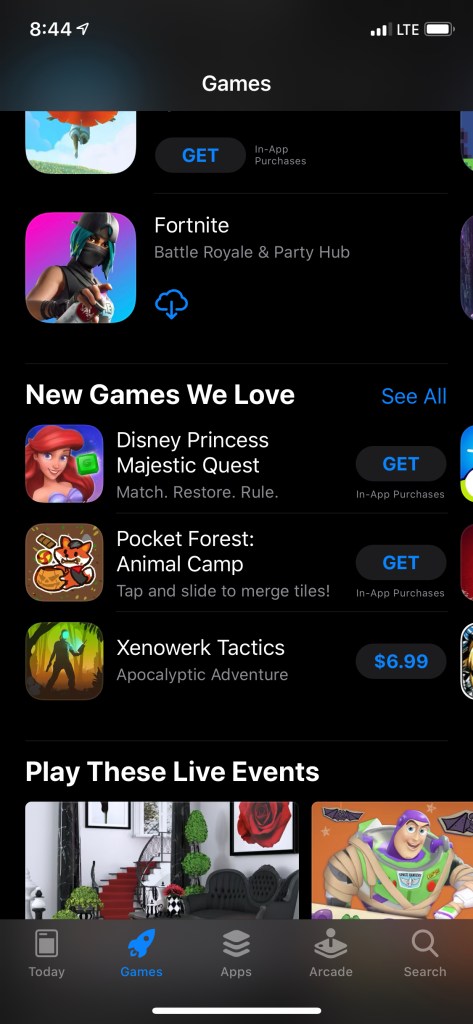
I wondered how I could achieve the same effect in my app. I realized the only thing I had to was remove my standard way of tinting the UINavigationBar
UINavigationBar.appearance().barTintColor = MyColor
After removing this, the nav bar is translucent and will be the color of the content underneath. Pretty straight forward but it bothered me for weeks. Also to get the scroll effect of the content showing underneath, make sure you set your constraints in your xib files anchored to the view of the UIViewController instead of the safe area
And that’s it, happy coding

 Coding with MobileMon